
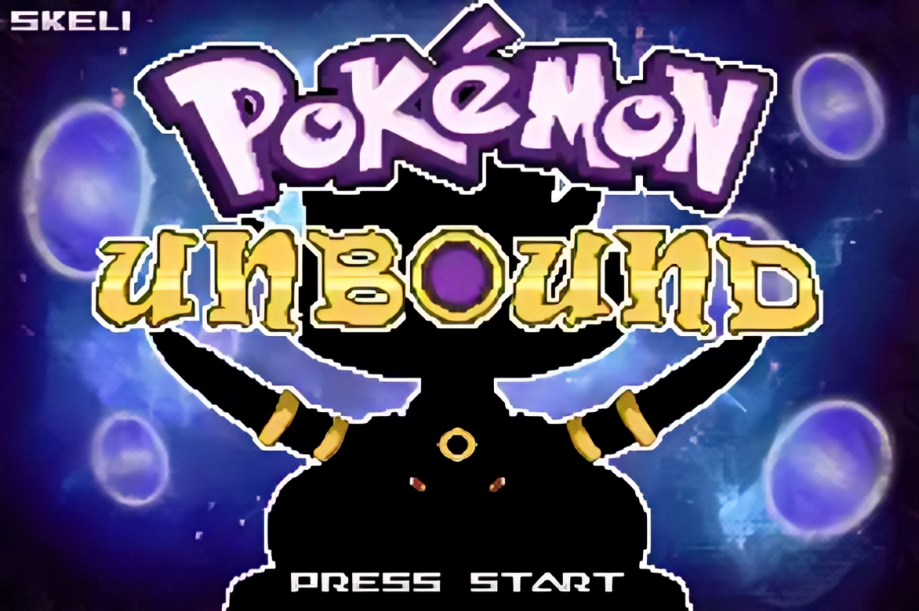
Pokemon Unbound regularly comes up in conversations about the best GBA ROM hacks ever made, and the reputation is well-earned. Built on Pokemon FireRed, it takes you to a completely original region with its own story, a difficulty system that actually works, and more post-game content than most official releases. If you’ve been looking for a Pokemon Unbound download, the setup process is a bit more involved than just grabbing a file and hitting play — the base ROM, the patch, and the emulator all have to be right, or you’ll run into problems before the game even starts. Getting those three things sorted first saves a lot of frustration.
Quick Information
| Detail | Info |
|---|---|
| Game Name | Pokemon Unbound |
| Creator | Skeli (Skeli789) |
| Hack of | Pokemon FireRed |
| Region | Borrius (custom) |
| Genre | Story-driven GBA ROM Hack |
| Version | v2.1.1.1 |
| Language | English |
| Platform | GBA (Game Boy Advance) |
| Status | Completed |
| Best Emulators | mGBA (PC), My Boy! / Pizza Boy GBA (Android) |
| Last Updated | November 8, 2022 |
What is Pokemon Unbound?
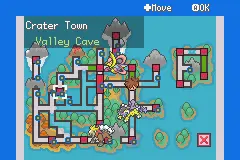
Pokemon Unbound is a completed Pokemon FireRed ROM hack created by Skeli, a developer also known for building the Complete FireRed Upgrade engine that powers many other hacks in the scene. Rather than sticking with Kanto, Unbound drops you into the Borrius region, a place with its own history, its own towns, and its own problems. The story centers on an old conflict with Kalos, a sealed dark force, and a shadowy organization called The Shadows trying to undo that sealing.
What sets it apart from most ROM hacks is the scope. It’s not just FireRed with harder trainers or a bigger Pokédex — it has a full original story, over 80 missions to complete, four difficulty modes, character customization, mini-games, daily events, and a post-game substantial enough to keep you busy for weeks after finishing the main story. The Pokémon available span Generations 1 through 7, with modern battle mechanics layered in throughout. For a breakdown of what’s available and where to find things, the Pokemon Unbound Pokedex guide covers locations, starters, evolutions, and legendaries. If you want a clearer route through the story itself, our Pokemon Unbound walkthrough covers gym order and where to go next.
Most players put somewhere between 50 and 100 hours into it depending on how much of the side content they pursue. That’s not a small commitment, but most of the people who get into it don’t regret it.
Why Pokemon Unbound is Still Popular
Unbound came out in 2020 and got its last major update in late 2022. Despite that, new players still find it and share it constantly. A few reasons for that:
The Borrius region feels genuinely designed, not just reskinned. Towns have character, the map has variety, and the story actually goes somewhere instead of just serving as an excuse to collect gym badges.
The difficulty system is one of the more thoughtful implementations in any ROM hack. Easy mode lets casual players enjoy the story without being stopped cold by a gym leader, while Insane mode runs a full AI system that fights back in a way that’ll humble even experienced competitive players. Both extremes feel intentional rather than tacked on.
The mission system gives the game structure outside of the main story. Instead of just wandering around looking for things to do, you have a tracked log of objectives that sends you out to explore corners of Borrius you might otherwise miss.
The post-game alone would be a selling point for a lot of ROM hacks. Battle facilities, legendary encounters, more missions, and the KBT Expressway underground mining feature all give you reasons to keep playing after the credits.
There’s also the quality-of-life work, which is quietly excellent. None of it makes the game a pushover, but it does remove the parts of GBA Pokémon that were tedious even in 2004. HM slaves aren’t needed, bag space isn’t limited, and the DexNav gives you real control over what you’re hunting for.
Pokemon Unbound Features
Story and setting
- Custom Borrius region with original towns, routes, and map design
- An original storyline with actual narrative structure, moral choices, and a proper ending
- Complex puzzles built into the environment throughout the main campaign
- A day and night system that affects events and encounters
Pokémon and battle mechanics
- All Pokémon from Generations 1 through 7 available, plus some Gen 8 encounters
- Moves and abilities updated to Gen 8 standards
- Physical/Special split (which FireRed never had natively)
- Mega Evolution during battles
- Z-Moves available
- Raid Battles accessible post-game
- Smarter trainer AI across all difficulty modes
Difficulty options
- Four modes: Easy, Normal, Hard, and Insane
- Each mode adjusts trainer AI, team quality, and level scaling differently
- Insane mode features a fully custom AI system and is genuinely difficult
Side content and missions
- Over 80 unique missions tracked in the Mission Log
- Daily events scattered across the region, some time-dependent
- Mini-games including Safari Sniper and Underground Mining
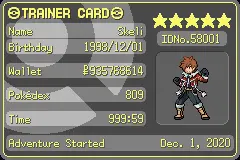
- Character customization with around 300 outfit/skin tone combinations
- Battle Frontier with five facilities plus Raid Battles (separate demo version also available)
Quality-of-life improvements
- HM moves usable by any Pokémon that can learn them, without teaching them directly
- Auto-run available from the start
- Unlimited bag space
- DexNav for finding Pokémon with hidden abilities, egg moves, and specific stats
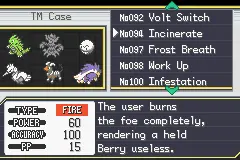
- Reusable TMs
- EV training shortcuts and tools
- Full Gen 4–5 graphic style in the overworld and UI
Audio
- Original soundtrack with over 50 songs composed specifically for Unbound, plus an expanded OST in later versions
Screenshots
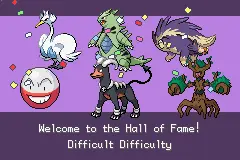
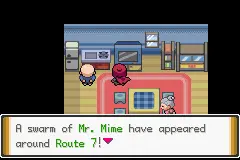
Download
✅ Latest Pokemon Unbound v2.1.1.1 download links are listed below. We check and update them regularly to keep the page useful for players.
How to Install Pokemon Unbound
On Android
- Install a GBA emulator. My Boy! is the most widely tested option for Unbound on Android. Pizza Boy GBA is also reliable and tends to perform well on mid-range phones. RetroArch with the mGBA core works too if you prefer open-source.
- Get the Unbound patch and your clean FireRed ROM onto your phone. Put them in the same folder to keep things simple.
- Apply the patch. Use UniPatcher (free on Android) to apply the .bps patch file to your clean FireRed ROM. This creates your Unbound .gba file.
- Open your emulator and load the .gba file. My Boy! and Pizza Boy both find files through a standard file browser.
- Check your save settings. Before starting a new game, make sure your emulator’s save type is set to Flash 128K if you see an option for it.
- Save early and test it. Make an in-game save in the first ten minutes, close the emulator, reopen, and confirm the save is there before you invest real time in a run.
- Back up your save file regularly. Export a copy to cloud storage or internal storage every few hours. Losing 30 hours to a corrupted save is not a fun experience.
Note on lag: Some Android devices struggle with Unbound’s custom engine. If the game runs slowly, try switching emulators. My Boy! tends to handle it better than JohnGBA, and Pizza Boy GBA is often the most stable option on mid-range phones.
On PC
- Download mGBA. It’s the most stable GBA emulator available for PC and handles Unbound reliably across long playthroughs. VBA-M works too but mGBA is the better choice.
- Get the Unbound patch and your clean FireRed ROM. Keep them in the same folder.
- Apply the patch using Floating IPS. Open Floating IPS, select the .bps patch file, then point it at your clean FireRed ROM. It’ll produce a new .gba file — that’s your Unbound ROM. If you’d rather skip installing software, PatchMyROM lets you patch the ROM in your browser instead.
- Open mGBA and load the .gba file via File > Load ROM.
- Check save type in emulator settings. In mGBA, go to Emulation > Game Boy Advance > Save Type and set it to Flash 128K if Unbound’s save behaves strangely on first boot.
- Test in-game saving immediately. Save at the first available point, close the emulator, reopen, and confirm the save is there before going further.
- Keep your .sav file backed up. Copy it to a separate folder periodically. It’ll be in the same directory as your .gba file and shares the same filename.
Best Emulators for Pokemon Unbound
| Emulator | Platform | Best For | Notes |
|---|---|---|---|
| mGBA | PC (Windows/Mac/Linux) | Overall stability and save reliability | Best choice for long playthroughs on PC |
| VBA-M | PC | Older or lower-spec machines | Works but mGBA is more stable |
| My Boy! | Android | Standard Android play | Most widely tested with Unbound; cheat support included |
| Pizza Boy GBA | Android | Performance on mid-range phones | Often smoother than My Boy! on some devices |
| RetroArch (mGBA core) | PC/Android/iOS | Cross-platform play | Slightly more setup but very stable once configured |
| Delta | iOS | iPhone/iPad play | Reliable for iOS; free on the App Store |
Avoid JohnGBA for Unbound if possible. Multiple players have reported frequent crashes mid-game, particularly around save events and cutscenes.
Common Pokemon Unbound Setup Problems
White screen on startup
Most commonly caused by an incompatible base ROM. Re-patch using a clean FireRed Rev 0 (Squirrels) file. Do not use a ROM that’s already been patched with something else.
Black screen after intro
Usually an emulator issue. Try switching to mGBA (PC) or My Boy! (Android) if you’re using something else.
Game not loading at all
Check that your .gba file is complete and not corrupted. Re-download the patch and re-apply it to a fresh base ROM.
Patch failed / checksum mismatch
You’re using the wrong base ROM version. The patch requires FireRed Rev 0 specifically. Using the Rev 1 version or any pre-modified ROM will produce this error. PatchMyROM’s guide to fix checksum mismatch errors covers this in more detail.
Wrong base ROM
See above. If your patcher shows a checksum error, your FireRed ROM isn’t the right version. This is the single most common reason people can’t get the game running.
Save error or save not appearing
Set your emulator’s save type to Flash 128K before starting. If you’ve already started and this is happening, you may need to restart with the correct save type configured from the beginning.
Emulator crash mid-game
Some emulators handle Unbound’s custom engine differently. Switch to mGBA on PC or Pizza Boy GBA on Android if you’re seeing repeated crashes.
Old save not working after update
Saves from earlier versions don’t always carry over cleanly to newer ones. Some players report missing items, broken events, or Pokédex resets. Back up your old save and be prepared to start fresh if things break.
Lag on Android
Try Pizza Boy GBA or RetroArch with the mGBA core instead of JohnGBA. Also make sure your phone isn’t running heavy background processes while playing.
File not showing in emulator
Make sure your file manager is looking in the right folder and that the file ends in .gba (not .bps, which is the patch file). The .bps file is not the game — you need to apply it to your base ROM first.
Pokemon Unbound ROM vs Patch
This trips people up more than anything else in the setup process, so it’s worth explaining clearly.
ROM — The actual playable game file. In this case, your clean Pokemon FireRed .gba file. This is the base game that the hack is built on. Distributing ROMs is illegal in most countries; you’re expected to own the original cartridge.
Patch — A small file that contains only the changes the hack makes, not the full game. Unbound comes as a .bps patch file. To use it, you combine it with your base ROM using a patching tool, and the result is the modified game file you can actually play. This is how most reputable ROM hacks distribute their work, because the patch alone doesn’t include any copyrighted Nintendo content.
Pre-patched file — Someone else has already applied the patch to a base ROM and is distributing the combined result. Convenient, but legally grey, and you have no guarantee the file hasn’t been modified, is the correct version, or is clean.
The safest workflow is: own the original game, obtain your own ROM from it, download only the official patch from the creator’s thread, and apply it yourself. It takes a few minutes and you know exactly what you’re running.
Pokemon Unbound Latest Version
Pokemon Unbound is currently at version v2.1.1.1, released on November 8, 2022. The creator Skeli has not announced further updates since then, and the game is marked as completed.
Before downloading, always check the official PokéCommunity thread in case a newer build or compatibility note has been posted since this article was written. That’s the only source where you can be certain you’re getting the correct, unmodified patch.
If the version has been updated since your last playthrough, your existing save may not carry over cleanly. Starting fresh when moving to a new version is safer than assuming an old save will work.
Pokemon Unbound vs Pokemon Radical Red
Both sit near the top of most GBA ROM hack recommendation lists, but they’re quite different games serving different types of players.
Pokemon Unbound is story-first. The Borrius region, the missions, the character customization, the puzzles — all of it is built around giving you a complete RPG adventure inside a GBA framework. The difficulty is adjustable, so both casual players and more competitive ones can get something meaningful out of it.
Pokemon Radical Red, on the other hand, keeps the original Kanto setting and story but rebuilds the battle system and difficulty from the ground up. Trainer AI is significantly sharper, team compositions are competitive-level, and the game expects you to actually think through every fight. It’s less about exploration and story, more about whether your team and strategy hold up.
If you enjoy harder GBA ROM hacks with modern battle systems, you may also like our Pokemon Radical Red guide. For a story-focused FireRed hack with a completely different angle, Pokemon FireRed Rocket Edition is also worth a look.
If you want a rich original adventure with missions, post-game depth, and replay value, Unbound is the better pick. If you want to test your Pokémon battle knowledge in a familiar setting, Radical Red is the one. Both are worth playing; they just scratch different itches.
Is Pokemon Unbound Worth Playing?
Short answer: yes, for most players. But it depends on what you’re looking for.
You’ll probably enjoy it if:
- You want a full original Pokémon story, not just a retelling of an existing one
- You like having side content and missions beyond just beating gyms
- You prefer modern battle mechanics in your GBA games
- You want difficulty options that actually scale well, from a breezy playthrough to a genuine challenge
- You’re interested in post-game content that’s actually substantial
You might not enjoy it if:
- You just want a simple, no-fuss FireRed experience
- Longer ROM hacks with lots of story content aren’t your thing
- You don’t want to deal with the patching and setup process
- You find the Insane difficulty frustrating (it is genuinely punishing)
The main story runs around 40–50 hours for a focused playthrough. Going for full completion pushes closer to 100. That’s a serious time investment, but unlike a lot of ROM hacks that drag toward the end, Unbound mostly earns it.
FAQ
What is Pokemon Unbound?
Pokemon Unbound is a completed GBA ROM hack based on Pokemon FireRed, created by Skeli. It’s set in a custom region called Borrius and features an original story, four difficulty modes, a mission system, and enough post-game content to keep you busy well after the main campaign ends.
Is Pokemon Unbound completed?
Yes. The game is fully completed as of version v2.1.1.1. All gyms, the main story, and post-game content are accessible.
Is Pokemon Unbound safe to download?
The patch file itself, sourced from the official PokéCommunity thread or a trusted site like Hackdex, is the safer option. Be cautious with pre-patched files from random ROM sites — those are where most of the risk comes from. Apply the patch yourself using the official file when possible.
Can I play Pokemon Unbound on Android?
Yes. My Boy! and Pizza Boy GBA are the most reliable options on Android. Avoid JohnGBA, which has a known history of crashing mid-game with Unbound.
Can I play Pokemon Unbound on PC?
Yes. mGBA is the recommended emulator on PC. VBA-M also works but mGBA is more stable for longer sessions.
What emulator is best for Pokemon Unbound?
mGBA on PC and My Boy! or Pizza Boy GBA on Android. These handle the custom engine, save system, and RTC features without the issues that some other emulators have with Unbound specifically.
Do I need a clean FireRed ROM?
Yes, and it needs to be the Rev 0 (Squirrels) version. Using a different revision or a pre-modified ROM will cause a checksum mismatch error when you try to apply the patch.
Is Pokemon Unbound a ROM or a patch?
It’s distributed as a patch (.bps file). You apply it to a clean FireRed ROM to get the playable .gba file. Some sites distribute pre-patched files, but applying the patch yourself is the safer and more reliable approach.
Why is Pokemon Unbound not loading?
Most loading issues come down to the wrong base ROM, an incomplete patch application, or an incompatible emulator. Start by confirming your FireRed ROM is Rev 0, repatch it cleanly, and try mGBA or My Boy! if you’re on a different emulator.
Does Pokemon Unbound support cheats?
Yes. Standard GBA cheat codes work through most emulators’ built-in cheat menus. My Boy! and mGBA both support this. Search specifically for Pokemon Unbound cheats rather than raw FireRed codes, since some values have changed in the hack.
Is Pokemon Unbound harder than FireRed?
On Normal difficulty, it’s noticeably harder than vanilla FireRed. On Hard or Insane, it’s a completely different level of challenge. The AI is genuinely smart on higher settings and trainers use proper movesets and strategy. Easy mode is actually more forgiving than standard FireRed for casual players.
What is the latest version of Pokemon Unbound?
The current version is v2.1.1.1, released November 8, 2022. Always check the official PokéCommunity thread before downloading, in case a newer update has been released since this article was written.
Can I update Pokemon Unbound without losing my save?
It depends on how significant the version change is. Some minor updates work fine with older saves, but others can cause missing items, broken events, or Pokédex resets. Always back up your .sav file before updating, and check the official community thread or changelog notes first to see what the update affects.
What base ROM does Pokemon Unbound need?
Pokemon Unbound requires a compatible Pokemon FireRed base ROM when patching manually. Specifically, the Rev 0 (Squirrels) version is what most patch builds target — using a different revision often causes a checksum error. Check the official PokéCommunity thread before patching to confirm the exact base ROM required for the version you’re downloading.
Final Thoughts
Pokemon Unbound is one of the strongest GBA ROM hacks out there when it’s installed correctly. The Borrius region, the mission system, the difficulty options, the post-game — it all fits together in a way that feels designed rather than assembled. The reputation it has in the ROM hack community is genuinely earned.
Most of the problems people run into don’t come from the game itself. They come from a wrong base ROM, a poor emulator choice, or a pre-patched file pulled from a sketchy site. Get the patch from a trusted source like the official PokéCommunity thread, apply it to the right FireRed ROM, use a stable emulator like mGBA or My Boy!, and keep regular backups of your .sav file. Do those things and the setup is straightforward, and the game itself is worth every minute of it.
Related Guides
- Pokemon Unbound Cheats — codes for Rare Candy, Master Ball, money, and items, with safety notes for each.
- Pokemon Unbound Pokedex guide — Pokémon locations, starters, evolutions, legendaries, and Dex completion tips.
- Pokemon FireRed ROM guide — useful if you are new to FireRed-based ROM hacks, patching, or emulator setup.
- Pokemon Radical Red — another major FireRed-based ROM hack, but built around difficulty and competitive battles instead of story.
- Pokemon FireRed Rocket Edition — a story-focused FireRed hack where you play through Kanto from Team Rocket’s side.
- Want more options before committing to a 50+ hour hack? Check out our favorite FireRed ROM hacks for other picks worth considering.
