
A lot of players search for Pokemon FireRed ROM for two very different reasons — some just want to replay the classic Kanto adventure on their phone or PC, while others need it as a foundation for patching a ROM hack. Either way, the version of the ROM you start with matters more than most people realize. Using the wrong base file is one of the most common reasons patching fails or a game breaks after loading. This page covers what FireRed ROMs are, how they work as a base for GBA ROM hacks, how to patch them correctly, which emulators hold up best on Android and PC, and how to troubleshoot the problems that come up most often.
Quick Answer
A Pokemon FireRed ROM is the digital game file used with a GBA emulator or as a base for FireRed-based ROM hacks. Many popular hacks require a clean FireRed USA ROM, often Rev 0 or Squirrels, before applying a patch. This page does not provide copyrighted ROM downloads, but it explains how FireRed ROM files, patches, emulators, and troubleshooting work.
Quick Information
| Detail | Info |
| Game | Pokemon FireRed |
| Platform | Game Boy Advance |
| Common File Type | .gba |
| Used For | Emulators and ROM hack patching |
| Common Base Versions | FireRed USA, Rev 0, Rev 1, Squirrels |
| Best PC Emulator | mGBA |
| Best Android Emulators | My Boy!, Pizza Boy GBA |
| Important Tip | Always check the ROM hack creator’s required base version |
What is a Pokemon FireRed ROM?
A ROM, short for Read-Only Memory, is a digital copy of a game cartridge. When Pokemon FireRed was released for the Game Boy Advance in 2004, the game data lived on a physical GBA cartridge. A Pokemon FireRed ROM file is that same data in a format a computer or phone can read — usually a .gba file.
ROMs are used with emulators, which are programs that mimic the GBA hardware so the game can run on a device that was never a GBA. On Android, emulators like My Boy! or Pizza Boy GBA do this. On PC, mGBA is the most reliable option available right now.
It’s worth being clear here: you should only use a ROM of a game you actually own. The legal and ethical standard in the ROM community has always been that owning the original cartridge is the basis for using a ROM copy.
What is a Pokemon FireRed Base ROM?
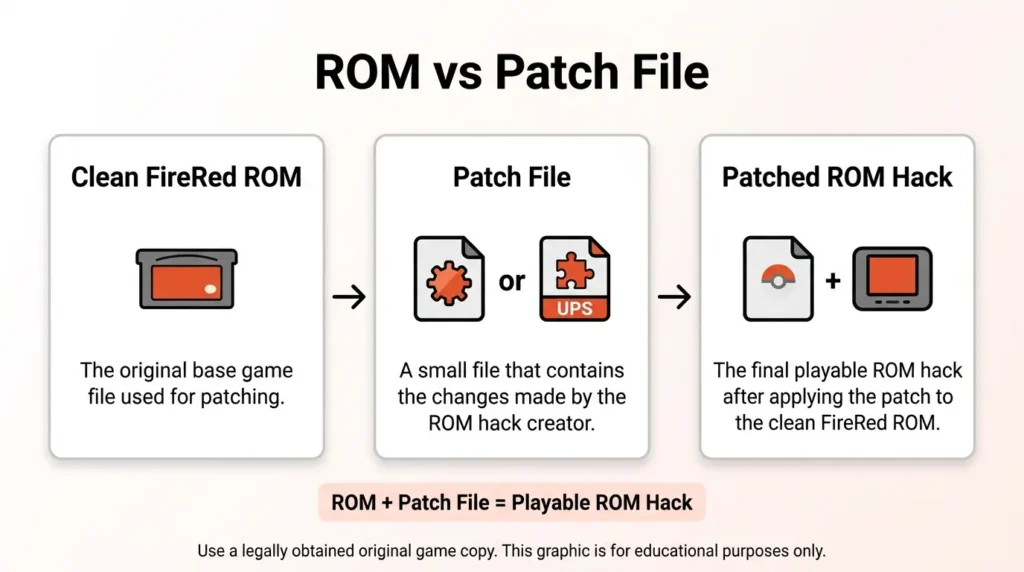
A base ROM is the original, unmodified game file that a ROM hack is built on top of. When a ROM hacker creates a hack, they start with a clean copy of the original game and apply changes — new maps, scripts, Pokemon, mechanics, graphics — using hacking tools. The result is a patch file that contains only those changes.
To play the hack, you combine that patch file with the correct base ROM. The base ROM fills in everything the patch doesn’t modify. If the base ROM doesn’t match what the creator used when building the hack, the patching process breaks, or the game loads but crashes, displays a white screen, or has broken audio.
For FireRed-based hacks specifically, the base ROM is almost always a clean Pokemon FireRed USA ROM — and even then, the exact revision matters.
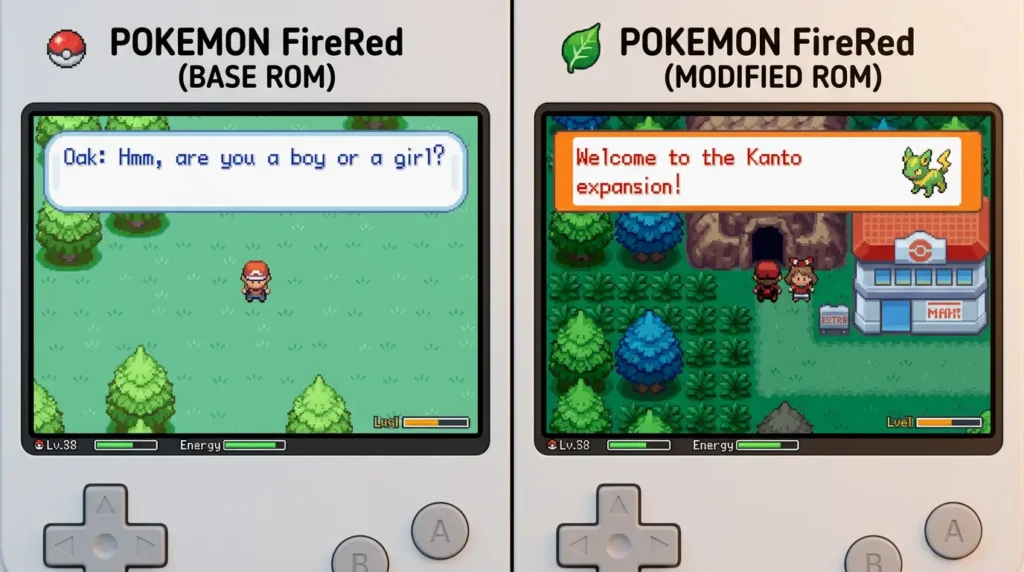
💡 Tip: Always read the ROM hack creator’s instructions before patching. A hack built for FireRed Rev 0 may not work with Rev 1.
Why Many ROM Hacks Use Pokemon FireRed as a Base
FireRed is the most common base ROM in the GBA Pokemon hacking scene, and there are real reasons for that.
The GBA engine FireRed runs on is well-understood. After twenty years, the ROM hacking community has produced an enormous number of tools, tutorials, and documentation specifically for FireRed. Tools like AdvanceMap, XSE, and the FR decomp project make FireRed one of the most accessible games to actually hack.
FireRed also has a solid structure that’s easy to work from. The Kanto region is familiar to players, so hacks that retell or reimagine Kanto stories land well. But plenty of hacks use FireRed as a base while setting the story somewhere entirely new, because the engine is stable and flexible.
The community behind FireRed hacks is massive. That means more documentation, more active Discord servers, and more people who can help when something breaks. If you’re looking at a GBA Pokemon ROM hack released in the last ten years, there’s a strong chance it runs on FireRed under the hood.
Pokemon FireRed ROM vs Patch File
These three terms come up constantly, and they’re worth understanding clearly before you do anything else.
ROM — The base game file, a .gba file of the original Pokemon FireRed. You need this to start.
Patch file — A file (usually .ips, .ups, or .bps) that contains only the changes a ROM hacker made to the base game. It contains no copyrighted game data by itself. You apply it to the base ROM using a patching tool, and the result is the hacked game.
Pre-patched ROM — A .gba file where someone has already applied the patch for you. It’s ready to load in an emulator immediately, but it comes with tradeoffs covered later in this article.
⚠️ Note: Patch files are usually the cleaner option when available because they contain only the creator’s changes, not the full copyrighted base game.
FireRed Rev 0, Rev 1, and Squirrels Version Explained
FireRed USA refers to the North American English release of Pokemon FireRed. Most ROM hacks are built on the USA release, not the European or Japanese versions. If you’re using a non-USA ROM and patching fails, region is the first thing to check.
Rev 0 and Rev 1 refer to two different revisions of the USA FireRed cartridge. Rev 0 (also called version 1.0) is the original print. Rev 1 (version 1.1) is a minor update Nintendo released later. They have different internal data, which means a patch built for Rev 0 won’t apply correctly to Rev 1 and vice versa. Most FireRed hacks specify which revision they need (Ash Gray needs Rev 0, for example) — check the creator’s documentation or readme.
Squirrels is a specific ROM dump of Pokemon FireRed that became widely circulated in the early days of ROM hacking. Its internal checksum differs slightly from other dumps of the same revision. Some hacks were specifically built using the Squirrels dump, which is why you’ll see some creators or readmes say “use the Squirrels ROM.” Pokemon Dark Violet is one example: its developer asks for that exact dump.
Clean ROM just means an unmodified, original dump of the game — no cheats applied, no prior patches, no modifications. Always start patching from a clean ROM.
Checksum mismatch is the error you see when the patching tool checks the base ROM’s fingerprint and finds it doesn’t match what the patch expects. It usually means you’re using the wrong revision, region, or dump. Some patching tools let you force-apply anyway, but this often results in a broken game. The fix is to find the correct base ROM version.
Using the wrong FireRed base ROM can cause: patch failed errors, checksum mismatch warnings, white screen on startup, black screen, crashes during gameplay, and broken or corrupted saves.
How to Prepare a Clean FireRed ROM for Patching
A clean FireRed ROM for patching comes down to a few things: it’s an unmodified copy with no ROM hack patch already applied to it, and it matches the exact version or revision (Rev 0, Rev 1, or Squirrels) the patch was built for. The safest way to get one is to dump it yourself from a cartridge you own, or otherwise use a copy you’re legally entitled to — not a file that has already been patched, cheated on, or altered in any way. Starting from anything else is the most common cause of the checksum mismatch and patch compatibility errors described above.
How to Patch a Pokemon FireRed ROM Hack
Patching is straightforward once you have the right files. Here’s the process.
- Get the patch file from the official source. Find the creator’s page — usually a forum post on RomHacking.net, a GitHub page, or a Discord server. Download the patch file from there, not from a third-party site.
- Make sure you have a clean, compatible FireRed base ROM. Read the hack’s readme or description carefully. It will usually say which version is required — USA, Rev 0, Rev 1, or Squirrels.
- Choose a patching tool based on the patch format.
.ips— Lunar IPS or Floating IPS..ups— Floating IPS or NUPS..bps— Floating IPS or MultiPatch (Mac). Some hacks have a web-based patcher linked on their download page. - Apply the patch. Open the patching tool, select the patch file, select the clean base ROM, and output the patched
.gbafile. - Load the patched file in your emulator. Don’t load the base ROM by accident — load the output file from step 4.
- Test saving early. Go to the in-game save menu and save within the first few minutes of playing.
- Keep backup
.savfiles. Your emulator creates a save file alongside the.gbafile. Copy it somewhere safe periodically.
💡 Tip: Test your in-game save within the first few minutes. If saving fails, fix the emulator or patching setup before playing for hours.
Best Emulators for Pokemon FireRed and FireRed ROM Hacks
| Emulator | Platform | Best For | Notes |
| mGBA | Windows, Mac, Linux | PC players wanting accuracy | Best accuracy and compatibility; handles most ROM hacks cleanly |
| My Boy! | Android | Mobile players | Solid GBA emulation; fast forward and cheat support built in |
| Pizza Boy GBA | Android | Android users wanting more features | Good accuracy, link cable emulation, clean interface |
| RetroArch (mGBA core) | Windows, Mac, Linux, Android | Advanced users | Very stable; more setup required |
| VBA-M | Windows, Mac | Legacy option | Older but still widely used; some hacks were tested on it |
| Delta | iOS | iPhone/iPad players | Reliable GBA emulation on iOS; no jailbreak needed |
Common FireRed ROM and Patching Problems
Patch Failed
You’re likely using the wrong ROM version. Check the hack’s readme for which revision is required and use that specific version.
Checksum Mismatch
The patching tool can’t match your ROM to the expected file fingerprint. Verify you’re using the correct FireRed USA version (Rev 0, Rev 1, or Squirrels). Force-applying usually produces a broken game.
White Screen
Usually means a patching error or wrong base ROM. Re-patch from a clean base using the correct version. Also check that your emulator isn’t applying hardware modification settings the hack doesn’t support.
Black Screen
Similar causes to white screen. Also verify you’re loading the patched output file, not the original base ROM. Some hacks require Real-Time Clock (RTC) to be disabled in emulator settings.
Game Not Loading
Make sure the file has a .gba extension and isn’t corrupted. Try moving the file to a simpler folder path like your desktop or Downloads folder.
Save Error
Try changing the save type in your emulator settings to “Flash 128K.” Some FireRed-based hacks use a larger save format than the default.
File Not Showing in Emulator
The file may be inside a zip archive. Extract the .gba file first before trying to load it. Most emulators won’t browse inside compressed folders.
Wrong ROM Version
Re-read the hack’s readme. Find the correct version, patch fresh from a clean copy of that ROM, and don’t skip the checksum check.
Cheat Codes Not Working
Cheat codes written for the original FireRed often won’t work on ROM hacks because item IDs, Pokemon data offsets, and encounter tables have been changed. Look for hack-specific codes from the creator’s community.
Emulator Crashing
Update your emulator to the latest version. If you’re on an older Android device, try a less demanding emulator. Check the hack’s thread to see if it’s a known compatibility issue.
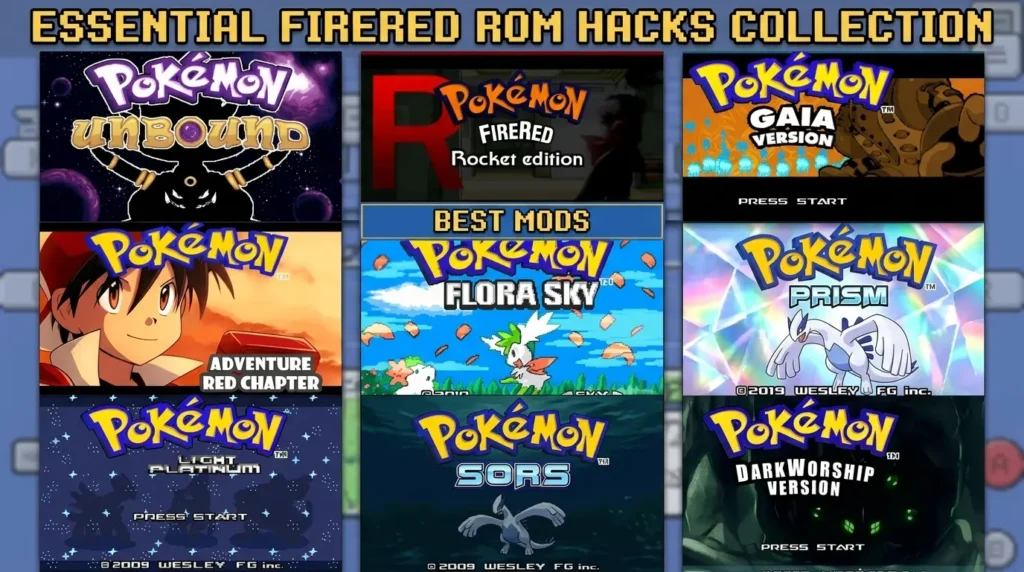
Popular Pokemon FireRed-Based ROM Hacks
The number of ROM hacks built on FireRed is enormous, and they cover a wide range of playstyles and goals.
Some hacks are battle-focused and designed around challenge, competitive mechanics, and difficulty. Pokemon Radical Red is one of the most well-known examples — it overhauls the difficulty, adds modern mechanics like the Physical/Special split and Dynamax, and is built on FireRed as its base. It’s consistently one of the most played FireRed hacks in the community.
Other hacks are story-focused, adding new regions, characters, and narratives; Pokemon Clover, with two regions and around 100 hours of play, is one of the larger examples. Others are quality-of-life improvements that keep the original story intact but fix bugs, improve balance, or add missing Pokemon from later generations. Drayano’s Pokemon Fire Red Omega is a classic example: the same Kanto story, with the full Pokedex open from the start and tougher trainers.
Pokémon Ghost Grey takes FireRed in a very different direction, turning Kanto into a Ghost-focused horror setting in 2049.
Pokemon FireRed Cheats and ROM Hacks
Cheat codes in GBA emulators work through GameShark or CodeBreaker formats, and they can be useful — but they behave differently on ROM hacks than on the original FireRed. Hacks change item IDs, encounter data, maps, Pokemon data, and memory offsets, so a code that works perfectly in vanilla FireRed may give you a glitched item, break a script, or do nothing at all on a hack.
🚨 Caution: Before using cheats on any FireRed ROM hack, back up your .sav file. Some cheats can corrupt saves or create glitched items if used on the wrong hack.
If you want reliable codes for a specific hack, look for ones written for that game by its community. For example, Pokemon Radical Red Cheats covers codes that have been tested and documented specifically for that hack.
Should You Download a Pre-Patched FireRed ROM Hack?
It depends on where it comes from, but in most cases using the creator’s patch file is the better option.
Pros of pre-patched ROMs:
- Easier for beginners
- No manual patching step required
Cons of pre-patched ROMs:
- May be an older version that hasn’t received bug fixes
- May be modified from the creator’s original release
- Some third-party downloads can be modified, outdated, or bundled with files you did not expect
- Could cause save or emulator problems
🚨 Caution: Random pre-patched files are convenient, but they are harder to verify. When a creator provides a patch file, using the patch is usually the cleaner and safer workflow.
FAQ
What is Pokemon FireRed ROM?
A Pokemon FireRed ROM is a digital file of the Pokemon FireRed game originally released for the Game Boy Advance. It’s used with a GBA emulator to play the game on a PC, phone, or tablet, and also serves as the base for FireRed-based ROM hacks.
What is a FireRed base ROM?
A FireRed base ROM is a clean, unmodified copy of Pokemon FireRed that a ROM hack is built on top of. When you apply a patch file to the base ROM, the result is the hacked game. The base ROM needs to match the specific version the hack creator used.
Why do ROM hacks need Pokemon FireRed?
ROM hacks are modifications of an existing game, not games built from scratch. The patch file only contains the changes the creator made — it needs the original game data to fill in everything else. Without the base ROM, there’s nothing to patch.
What does clean FireRed ROM mean?
A clean ROM is an unmodified, original dump of the game with no cheats, no previous patches, and no modifications. Patching always needs to start from a clean ROM. Any prior modification changes the file’s checksum and causes patching to fail or the resulting game to break.
What is FireRed Squirrels?
Squirrels is a specific ROM dump of Pokemon FireRed USA that became widely distributed in the early ROM hacking community. Its internal checksum differs slightly from other dumps of the same revision. Some ROM hacks were built specifically using the Squirrels dump, so they require it for patching to work correctly.
What is the difference between FireRed Rev 0 and Rev 1?
Rev 0 is the original USA release of Pokemon FireRed. Rev 1 is a minor updated revision Nintendo released later. They have different internal data, so a patch built for Rev 0 won’t apply correctly to Rev 1 and vice versa. Most ROM hacks specify which revision they require in their readme.
Why does my ROM hack patch fail?
The most common reason is using the wrong base ROM version. Check whether the hack requires FireRed USA Rev 0, Rev 1, or the Squirrels dump. Also make sure your base ROM is clean and unmodified. Force-applying despite a checksum mismatch warning usually results in a broken game.
Can I play Pokemon FireRed ROM on Android?
Yes. My Boy! and Pizza Boy GBA are both solid options for Android. Load your .gba file and you’re ready to go. If you’re playing a ROM hack, make sure you’re loading the patched file, not the original base ROM.
Can I play Pokemon FireRed ROM on PC?
Yes. mGBA is the most recommended emulator for PC right now. It handles the vast majority of FireRed-based ROM hacks cleanly and is actively maintained.
What emulator is best for FireRed ROM hacks?
On PC, mGBA is the current standard. On Android, My Boy! or Pizza Boy GBA work well for most hacks. For iOS, Delta is the go-to option. Advanced users who want more control can use RetroArch with the mGBA core.
Is a patch file safer than a pre-patched ROM?
Generally, yes. Patch files from the creator contain only the hack’s changes and no original game data, which is why they’re the standard distribution format. Pre-patched ROMs from third-party sites can be outdated, modified, or from sources you don’t want to trust.
Do FireRed cheats work on ROM hacks?
Original FireRed cheat codes often don’t work properly on ROM hacks because the hack changes offsets, item IDs, and encounter data. You’ll get better results using cheat codes written specifically for the hack you’re playing.
What should I do before using cheats?
Back up your save file. Copy the .sav file your emulator creates to a separate folder before enabling any codes. Some cheats — especially item or party modification codes — can corrupt saves if something goes wrong.
Related Guides
- 10 Best Pokemon FireRed ROM Hacks to Play — see our full roundup of the best FireRed-based ROM hacks worth patching onto a clean base ROM.
- Pokemon Radical Red — a difficulty-focused FireRed hack built on the same base ROM foundation covered here.
- Pokemon Unbound — one of the most feature-complete FireRed hacks, with its own custom region.
- Pokemon FireRed Rocket Edition — a story-focused FireRed hack told from Team Rocket’s perspective.
Final Thoughts
Pokemon FireRed has remained one of the most important foundations in the GBA ROM hacking community for a reason. It has a well-documented engine, decades of community support, and a massive library of hacks ranging from brutal challenge runs to completely new stories set far from Kanto.
Getting the base right is the part most players skip over, and it’s usually where problems start. Understanding the difference between a ROM, a patch file, and a pre-patched ROM saves a lot of frustration. Knowing why Rev 0, Rev 1, and Squirrels exist means you won’t be confused when a readme asks for a specific version.
A stable emulator and the habit of keeping backup saves will handle most of what goes wrong. And when something does go wrong, the creator’s community page or official thread is almost always the right place to look.
The correct ROM version, a clean patch, a reliable emulator, and backed-up saves — that’s genuinely most of what you need.
If you’re playing the original game rather than a hack, the Pokémon FireRed Tools cover vanilla FireRed’s type matchups, evolutions, encounter locations and move compatibility.
