

Pokemon Unbound is already one of the most complete GBA ROM hacks ever made — it has its own story, its own region, difficulty modes, and more quality-of-life features than most mainstream games. But some players still want to use cheats, whether to test teams, skip grinding on a second playthrough, or just mess around without spending twenty hours farming. That is completely fair. The trouble is, cheat codes for Pokemon Unbound can behave unexpectedly, and a few of them can corrupt your save if you are not careful about how you use them.
This guide covers the most useful Pokemon Unbound cheat codes — Rare Candy, Master Ball, money, shiny, and more — along with honest notes on what works, what is risky, and how to add them in My Boy! and mGBA. The goal here is not to tell you every code works perfectly. Some of them have real limitations in v2.1.1.1. Where that is the case, you will see it mentioned clearly.
Quick Answer
Pokemon Unbound cheat codes can work on GBA emulators like My Boy! and mGBA, but they need to be used carefully. The safest approach is to back up your save file first, enable one cheat at a time, collect whatever item or effect you need, then disable the code before continuing. Rare Candy, money, and item cheats are generally less risky than wild Pokemon modifier, shiny, or Walk Through Walls codes. Some cheats that worked in older versions behave differently in v2.1.1.1 — including a few PC-based item cheats that can trigger a force reset.
Last Reviewed
Last reviewed: June 2026 for Pokemon Unbound v2.1.1.1. These codes are based on community-reported cheat references from sources including PokemonCoders and PokéHarbor — not direct hands-on testing on every emulator. Cheat behavior may vary by emulator, patch version, and save type. Some codes are community-reported rather than officially supported by the game’s developer. Always test on a backup save first.
Before You Use Pokemon Unbound Cheats
If you have used cheats in other GBA Pokemon games before, most of this will feel familiar. But Unbound has some anti-cheat behavior built in that makes certain codes behave differently than expected. Before you try anything, keep these habits in mind:
- Back up your
.savfile before enabling any cheat - Save the game in a safe area (a Pokemon Center, not mid-battle or in a dungeon)
- Enable only one cheat at a time
- Turn the cheat off as soon as you get the item or effect you wanted
- Do not save while the game is in a glitched or unstable state
- Avoid using cheats during story events, cutscenes, or scripted encounters
- Never stack multiple item modifier or wild Pokemon codes at the same time
⚠️ Caution: Before using any Pokemon Unbound cheat, back up your .sav file. Some codes — especially PC-item cheats and wild modifier codes — can cause glitched items, broken story events, battle freezes, or save corruption if used on the wrong version or emulator. The safest habit: backup first, test one code, save only when you know the game is stable.
Best Emulators for Pokemon Unbound Cheats
Not every emulator handles cheat codes the same way. Here is a quick overview based on community reports:
| Emulator | Platform | Cheat Support | Notes |
|---|---|---|---|
| My Boy! | Android | Good | Most commonly used for GameShark/CodeBreaker codes; generally reliable for Unbound cheats |
| mGBA | PC / Mac / Linux | Good | Stable and widely tested; good choice for testing codes before committing |
| VBA-M | PC | Mixed | Older but still functional; note that some codes require “Code” type rather than GameShark/CodeBreaker in VBA |
| Pizza Boy GBA | Android | Mixed | Some codes behave differently; not as widely tested for Unbound specifically |
| Delta | iOS | Limited / Mixed | Cheat support varies by app version; community reports are inconsistent |
💡 Tip: If a cheat does not work on your first try, do not immediately assume the code is wrong. Try walking into a building and back out, or soft reset the game with the cheat enabled. Some Pokemon Unbound codes need a scene or map change to activate.
Pokemon Unbound Rare Candy Cheat

The Rare Candy cheat is one of the most searched cheats for Unbound, and it comes with some caveats worth knowing before you start. The code previously circulated as a generic FireRed bag-slot code (82025840 0044) is unverified for Unbound v2.1.1.1 — community reports suggest it may not work correctly or can glitch the item slot in the current version.
The better-sourced community code, which replaces the first item slot with Rare Candies, is:
Rare Candy (CodeBreaker) — Community-Reported
4203BB20 0044
00010001 0004
This is a community-reported code shared across PokemonCoders and related Unbound cheat threads. It replaces the first item slot with Rare Candies. After activating it, open your bag and check the Items pocket. Use them on your Pokemon, then turn the cheat off before continuing. Do not save immediately — check that your bag and party look normal first.
An alternative code sometimes shared is 4203C354 0044 / 00010001 0004, though results with this variant are more mixed. Stick with the first one and test on a backup save.
Important notes on the Rare Candy cheat for v2.1.1.1: Multiple community reports indicate that some PC-based Rare Candy cheats (such as the 999x Masterballs & Rare Candy in PC code) cause the game to force restart in the latest version. The bag-slot version above is considered safer, but still — disable it as soon as you have the candies you need. Do not leave it active while navigating menus or saving.
Rare Candy cheats are genuinely useful for testing teams or skipping grind on a replay. But Unbound’s difficulty is designed around a certain pace of progression. If you use them heavily on your first playthrough, the game’s harder fights might become trivially easy before you reach them — which cuts into what makes Unbound actually good.
Pokemon Unbound Master Ball Cheat

The Master Ball situation in v2.1.1.1 is trickier than in older FireRed-based hacks. Several community members have reported that the most common PC-based Master Ball code (which gives 999x Master Balls via your PC) causes an immediate force restart in the current version. This appears to be an intentional anti-cheat measure by the game’s developer.
A commonly shared alternative is a Poke Mart replacement code that adds Master Balls as the first shop item — but it should still be treated as risky in v2.1.1.1. Some players report resets or shop glitches with Master Ball item modifier cheats, so test it only on a backup save and do not save if anything looks wrong:
Master Ball via Poke Mart (CodeBreaker)
82003884 0001With this code active, visit any Poke Mart and the first item for sale should be a Master Ball — typically listed as free or at a very low price. Buy the ones you need, then immediately turn the code off before continuing.
⚠️ Do not keep item modifier cheats enabled while opening your bag repeatedly or shopping for extended periods. Turn the code off after purchasing the item. Leaving mart replacement codes active can cause unexpected behavior in shop menus.
Pokemon Unbound Money Cheat
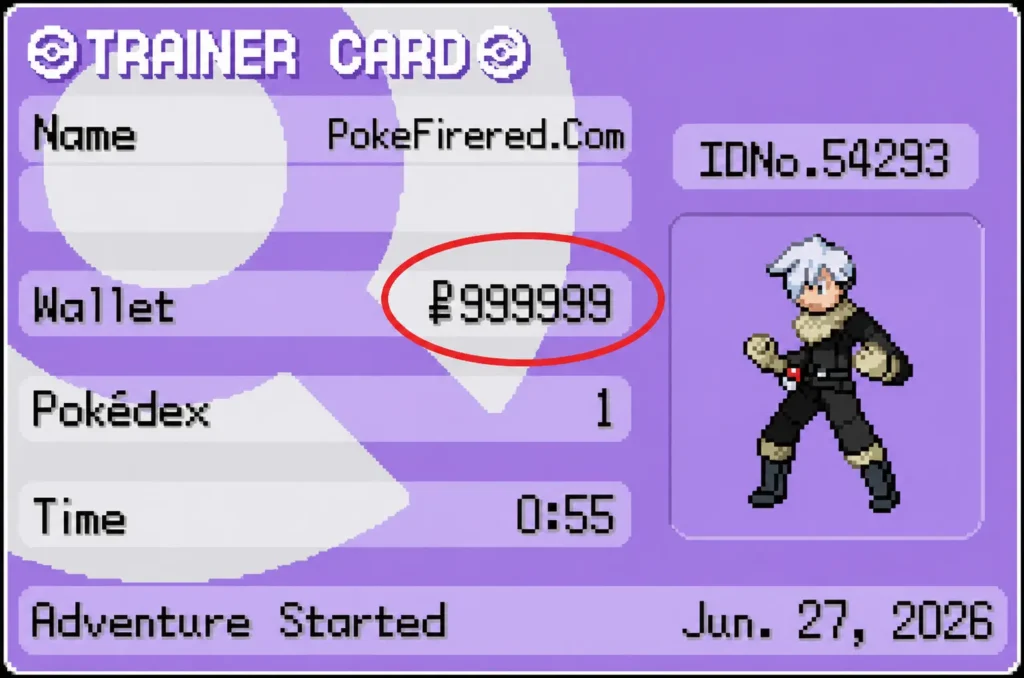
The infinite money cheats are among the most stable options for Unbound. There are two commonly shared versions — pick whichever fits your emulator better:
Infinite Money (GameShark / Action Replay)
29C78059 96542194Infinite Money — Alternative (CodeBreaker)
820257BC 423F
820257BE 000F
After enabling one of these codes, check your money in-game — it should show a very large amount. You do not need to do anything else. Once you have the money you want to spend, turn the code off. These tend to be low-risk compared to item or encounter cheats, but the usual rule applies: one code at a time, backup first.
If neither works, try the all-items-cost-1 approach instead:
All Poke Mart Items Cost 1 (CodeBreaker)
3C25A344 FD8F451C
AD86124F 2823D8DA
This makes every item in the shop cost 1 Pokedollar instead of modifying your wallet directly. Some players find this approach more stable than the wallet modifier codes.
Pokemon Unbound Shiny Cheat
There are two commonly shared shiny encounter codes for Pokemon Unbound, and they behave quite differently — so it is worth knowing which one you are using.
Shiny Encounter Code — Newer Version (GameShark / Action Replay)
1670047D 04815C68
18452A7D DDE55BCC
This newer code (shared by community member Beta 382 on PokemonCoders) forces wild encounters to appear as shiny while keeping their normal stats, gender, and abilities intact. Community reports note that Pokemon caught with this code may appear as if they were obtained via trade rather than caught in the wild.
Shiny Encounter Code — Older Version (GameShark)
F3A9A86D 4E2629B4
18452A7D DDE55BCC
The older code also forces shiny encounters, but it locks certain attributes including stats, gender, and abilities. It is generally considered less desirable than the newer version, but some players have better compatibility with it depending on their emulator.
⚠️ Shiny / encounter codes carry higher risk than item cheats. Use these only on a backup save. Do not save immediately after a glitched or frozen encounter. If the battle freezes or the Pokemon appears with garbled names or stats, turn the code off, reload your backup, and try again without the shiny code active.
Pokemon Unbound Wild Pokemon Modifier
Wild Pokemon modifier codes let you choose which Pokemon you encounter in the grass. They are also among the most likely to cause problems in Unbound v2.1.1.1.
I do not recommend using generic wild Pokemon modifier codes in Pokemon Unbound unless they come from a tested Unbound-specific source. Many generic FireRed encounter codes are unstable in Unbound because the hack changes encounter data, maps, and game structure significantly. What works in base FireRed often produces bad eggs, freezes, or crashes in Unbound v2.1.1.1.
That said — wild modifier codes are notoriously version-sensitive. If the encounter freezes, produces a bad egg, or causes the game to crash, turn the code off immediately and do not save. It is safer to use Unbound’s in-game mission system or wait until you reach an area where the Pokemon you want spawns naturally, especially on a first playthrough.
Pokemon Unbound Item Cheats (General)
Unbound uses the same item offset system as other FireRed-based ROM hacks, which means you can target specific items using hex codes. The general Poke Mart item replacement format is:
82003884 XXXXReplace XXXX with the item’s hex ID. Some common ones:
0044= Rare Candy0001= Master Ball000D= Potion0013= Full Restore0014= Max Potion003F= HP Up0045= PP Up
Turn the code off after purchasing from the Mart. Wrong hex codes can produce glitched items in shop slots, which is harder to recover from than a bad encounter code. If your bag behaves strangely after using an item code, do not save — reload your backup.
Pokemon Unbound EXP and Level Cheats
Rather than a direct level modifier, the most commonly used approach is the Rare Candy cheat combined with money cheats — it is cleaner and less likely to break anything. There are some EXP multiplier codes floating around, but they are less consistently tested for v2.1.1.1 and can cause issues during certain battles.
If you do use an EXP-related code, turn it off before major battles or cutscene-heavy areas. A code that inflates EXP during a scripted event can sometimes corrupt the event trigger and leave you stuck.
Pokemon Unbound Walk Through Walls
Walk Through Walls is one of those cheats that sounds incredibly useful and is almost always more trouble than it is worth in a ROM hack. Unbound has a lot of scripted triggers tied to specific tiles, doors, and map positions. Walking through walls can skip those triggers silently — meaning you might reach an area without having activated the flag that lets the story continue, and then find yourself stuck with no way forward.
A commonly referenced code for Unbound Walk Through Walls:
509197D3 542975F4
78DA95DF 44018CB4
⚠️ Strong warning: Walk Through Walls is one of the easiest ways to softlock a Pokemon ROM hack. Use it only on a disposable backup save. Turn it off before entering any story area, dungeon, or cutscene. If you clip into a wall or get stuck in an area you should not be in, reload your last clean save — do not try to walk out.
Pokemon Unbound Cheat Codes Summary Table
| Cheat | Code Type | Risk Level | Best Use | Notes |
|---|---|---|---|---|
| Rare Candy (bag slot) | CodeBreaker | Medium | Team testing, replays | Disable after use; PC version causes force reset in v2.1.1.1 |
| Master Ball (mart) | CodeBreaker | Medium | Catching legendaries | Buy what you need, disable immediately; PC version breaks in v2.1.1.1 |
| Infinite Money | GameShark | Low / Medium | Buying items freely | One of the more stable codes; disable after use |
| All Items Cost 1 | CodeBreaker | Low / Medium | Shopping without grinding | Alternative to wallet modifier; stable on most emulators |
| Shiny Encounter (new) | GameShark | High | Shiny collection | Pokemon may show trade origin flag; test on backup save |
| Wild Pokemon Modifier | CodeBreaker | High | Specific encounters | Can cause freezes or bad eggs; version-sensitive |
| Walk Through Walls | GameShark | High | Exploration only | Can skip story flags and softlock the game; use with extreme caution |
How to Add Cheats in My Boy! (Android)
My Boy! is the most common emulator for running Pokemon Unbound cheats on Android. Here is how to add a code:
- Open Pokemon Unbound in My Boy!
- Tap the menu icon (usually three lines or dots)
- Select Cheats
- Tap the + or Add button
- Give the cheat a name (e.g., “Rare Candy”)
- Select the cheat type: GameShark or CodeBreaker depending on the code
- Paste the code into the code field — do not type it by hand if you can avoid it
- Save and make sure the checkbox next to the cheat is enabled
- Go in-game and test the effect
- Uncheck the cheat once it has worked to disable it
If you see no effect, try walking into a building and back out first. Some codes need a scene transition to register.
How to Add Cheats in mGBA (PC / Mac / Linux)
mGBA is the recommended PC emulator for testing Unbound cheats due to its stability. The steps are straightforward:
- Open mGBA and load your Pokemon Unbound ROM
- Go to Tools in the top menu bar
- Select Cheats
- Click Add GameShark or Add CodeBreaker depending on the code type
- A new entry appears on the left — give it a name
- With the entry highlighted, paste the code into the text box on the right and click Add
- Make sure the checkbox next to the code is ticked to enable it
- Return to the game and test
- Uncheck or delete the code once it has worked
Menu wording may differ slightly depending on your version of mGBA, but the general flow is the same across recent releases.
Why Are My Pokemon Unbound Cheats Not Working?
This is probably the most common question when using cheat codes for any ROM hack. Here are the most likely reasons:
Wrong cheat type selected
CodeBreaker codes entered as GameShark (or vice versa) simply will not work. Check the code format: CodeBreaker codes are shorter (format: XXXXXXXX YYYY), while GameShark/Action Replay codes are longer and come in pairs (format: XXXXXXXX YYYYYYYY).
Wrong emulator
Not every emulator supports every code type. If a code consistently does nothing on one emulator, try mGBA or My Boy! — both have better Unbound cheat track records than some alternatives.
Wrong Pokemon Unbound version
Codes written for v1.x or v2.0 may not work correctly in v2.1.1.1. If you downloaded Unbound a while ago and updated the ROM, make sure you are using codes matched to your version. The PC item codes in particular behave differently between versions.
Multiple cheats active at once
Running several codes simultaneously is the most common cause of freezes and glitches. Disable all other cheats and test the one you want in isolation.
Code pasted incorrectly
One wrong character breaks the entire code. Paste rather than type whenever possible. If a code has multiple lines, make sure each line is on its own separate row in the cheat entry field.
Save type mismatch
Pokemon Unbound requires Flash 128k save type. If your emulator is set to something else, certain memory addresses used by cheats will point to the wrong locations, causing codes to have no effect. In mGBA, you can check this under File > Override game settings.
The code needs a scene transition to activate
Some codes only take effect after you enter a building or walk through a door. If nothing happens in the field, try entering a Pokemon Center and exiting, then checking your bag or encountering a wild Pokemon.
The code is from a different ROM hack
Codes shared for vanilla FireRed or other ROM hacks may not work in Unbound because the memory addresses have been changed. Make sure you are using codes specifically listed as compatible with Pokemon Unbound — not just generic FireRed codes. Our Pokemon FireRed ROM guide covers the base game, but Unbound modifies enough of the ROM that many standard FireRed cheat codes will not transfer.
Anti-cheat measures in v2.1.1.1
Pokemon Unbound’s creator added some protections against specific cheat methods. The most documented example is the PC-based 999x Master Ball / Rare Candy code causing a force restart. This is not a bug in your emulator — it is the game actively blocking that method. Use the Mart replacement or bag slot version instead.
Are Pokemon Unbound Cheats Safe?
Honest answer: they can be useful, but none of them are risk-free. Item cheats — Rare Candy, money, mart replacements — are generally the easiest to recover from if something goes wrong. Encounter modifier, shiny, and Walk Through Walls codes carry a higher chance of causing glitches, and some of those glitches can become permanent if you save at the wrong moment.
The one thing that makes any cheat safer is a backup .sav file. If you have a clean save to reload, even a broken code is just an inconvenience. If you do not have a backup and the code corrupts your progress, there is no recovery option.
Pokemon Unbound Cheats vs. Built-In Game Features
It is worth mentioning that Pokemon Unbound already has more built-in quality-of-life options than most ROM hacks. You can adjust difficulty settings, access the Mission system for extra content, and the game gives you legitimate ways to find rare Pokemon and items through normal play.
Cheats make the most sense when you are replaying the game and want to skip grinding, testing a team build quickly, or just experimenting on a throwaway save. Using them as a crutch on a first playthrough might make some of Unbound’s best content feel hollow — the difficult fights are actually difficult by design, and that is part of what makes the game worth playing.
Related Guides
- Pokemon Unbound — Full overview of the ROM hack, features, and where to start
- Pokemon FireRed ROM guide — The base game that Unbound is built on; useful for understanding ROM patching and emulator setup
- Pokemon Radical Red Cheats — Cheat guide for another popular FireRed-based ROM hack
- Pokemon Radical Red — Overview of Radical Red if you want to compare it to Unbound
FAQ
Do Pokemon Unbound cheats work?
Yes, many do — but not all of them work the same way on every emulator or version. Item and money cheats are generally more reliable. Some PC-based codes have been blocked in v2.1.1.1. Always test on a backup save.
What is the Rare Candy cheat for Pokemon Unbound?
The better community-reported Rare Candy code for Pokemon Unbound v2.1.1.1 is:
4203BB20 0044
00010001 0004
This replaces the first item slot with Rare Candies. Test it on a backup save first, disable it after use, and avoid saving if your bag looks glitched.
What is the Master Ball cheat for Pokemon Unbound?
The Mart replacement code 82003884 0001 adds Master Balls as the first shop item. The PC-based Master Ball code causes a force reset in the current version and should be avoided.
Can I use Pokemon Unbound cheats on My Boy?
Yes. My Boy! on Android is one of the most commonly used emulators for Unbound cheats. Go to Menu > Cheats > Add, select the right code type (GameShark or CodeBreaker), and paste the code. Turn cheats off after use.
Can I use Pokemon Unbound cheats on mGBA?
Yes. Go to Tools > Cheats in mGBA, add a new GameShark or CodeBreaker entry, paste the code, and enable it. mGBA is a stable choice for testing codes before committing to a save.
Why are my Pokemon Unbound cheats not working?
Most commonly: wrong cheat type selected, multiple cheats active at once, wrong version of the code, or a code that needs a scene transition to activate. Check one variable at a time rather than changing everything at once.
Are Pokemon Unbound cheats safe?
Some are safer than others. Money and item mart cheats carry relatively low risk. Wild Pokemon modifier, shiny, and Walk Through Walls codes are riskier. No code is unconditionally safe — back up your save before using any of them.
Can cheats corrupt my Pokemon Unbound save file?
Yes, they can. Saving while a glitched code is active is the most common cause. Do not save in an unstable state. If something feels wrong — glitched items, frozen battles, unexpected encounters — reload your backup rather than saving to try to fix it.
Do FireRed cheats work on Pokemon Unbound?
Some FireRed cheat codes carry over, but many do not. Unbound modifies enough of the ROM’s memory structure that standard FireRed codes often point to the wrong addresses. Use codes specifically tested for Unbound, not general FireRed codes.
What should I do before using cheats?
Back up your .sav file. Save in a safe location (Pokemon Center). Enable only one cheat at a time. That is the minimum. Everything else is optional but helpful.
Can I use multiple cheats at once?
Technically yes, but it significantly increases the chance of a crash or glitch. If you want to use multiple codes, enable one, get the effect, disable it, then enable the next. Never run encounter modifier codes alongside item codes simultaneously.
Which Pokemon Unbound cheats are the riskiest?
Walk Through Walls, wild Pokemon modifier, and shiny encounter codes carry the highest risk of breaking your game. The PC-based Master Ball and Rare Candy codes are also risky in v2.1.1.1 due to the game’s anti-cheat behavior.
Final Thoughts
Pokemon Unbound is worth playing legitimately, and the cheats on this page are most useful for people who have already done that — or who are testing something on a throwaway save. The simplest item and money codes are the most stable, and they cover the most common use cases like skipping Rare Candy grind or stocking up before a tough fight.
If a code does nothing, do not stack five more codes on top of it. Turn it off, reload, and test again with a fresh emulator state. And if a code feels unstable — if your game is freezing or your bag is showing glitched items — turn it off and reload a clean save. Backing up your .sav file before you start is the one habit that makes everything else forgivable.
